Trader's Notebook: Your Personal Knowledge Base, Built Into Your Journal
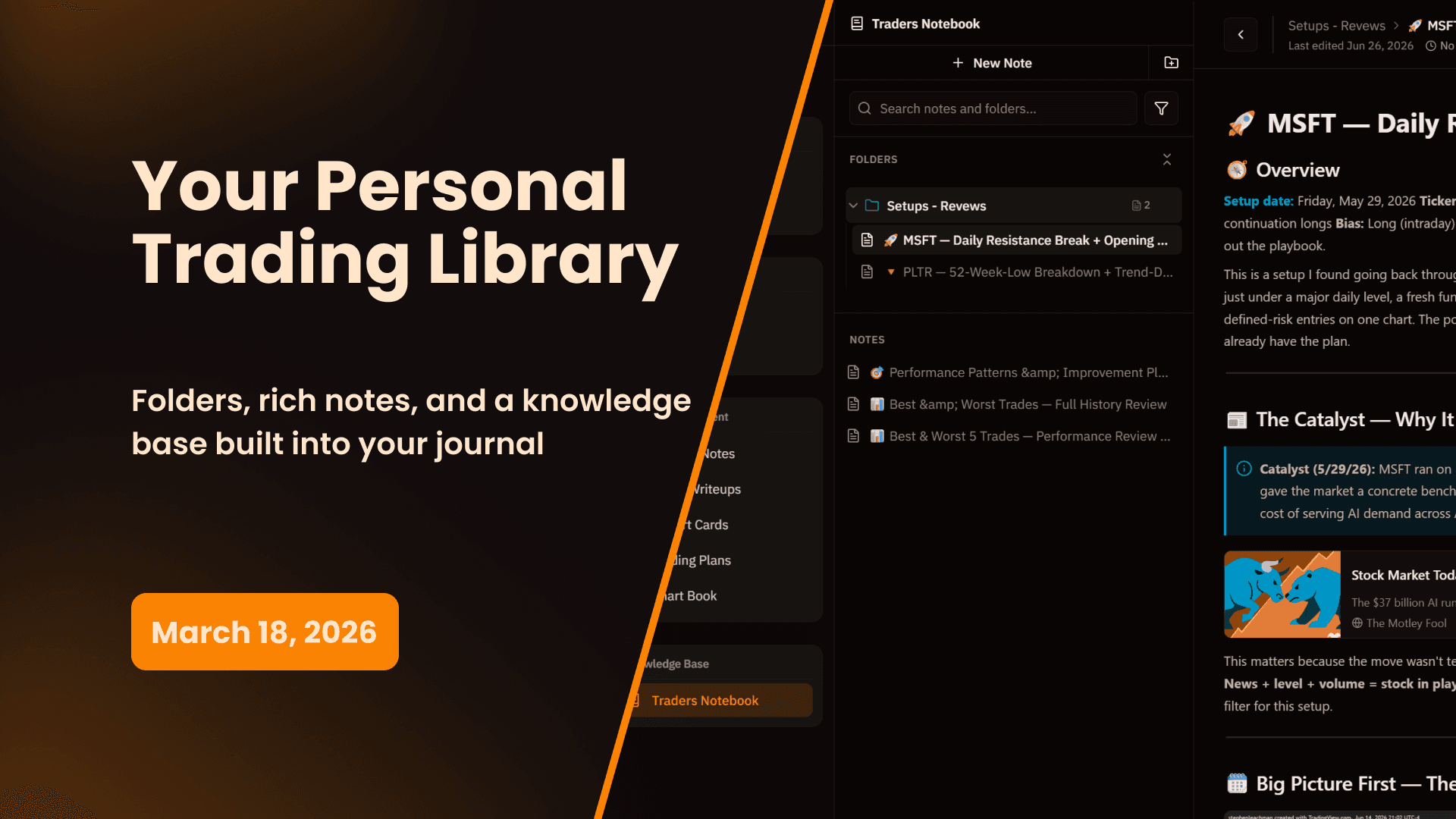
Trader's Notebook is a fully integrated note-taking system inside My Prop Journal. Create folders, build a structured knowledge base, write rich notes on anything trading-related, and keep it all organized in one place — right alongside your journal.
Your trade journal tracks what you did. Your Trader's Notebook captures everything else — the research, the setups you're studying, the patterns you're building, the frameworks you're developing. It's the place for knowledge that doesn't belong in a trade write-up or a session note but is too important to leave scattered across random documents and apps.
What's New
A Fully Integrated Notebook
Trader's Notebook lives inside My Prop Journal under the Knowledge Base section in your sidebar. Everything you write is part of your journal — accessible alongside your trades, write-ups, session notes, and development tools without switching applications or tabs.
The note editor is the same rich editor used throughout the app — headings, callouts, embedded images, tables, checklists, links, and more. Write anything from a quick one-liner to a deeply structured multi-section document.
Folders & Nested Folder Structure
Organize your notes into folders, and folders inside folders, building whatever structure makes sense for how you think and trade.
A few examples of how traders are using the folder structure:
- Setups → Reviews — Document market structure studies and chart reviews by setup type
- Playbook Research — Deep-dive notes on setups you're developing before they're ready for your formal playbook
- Market Observations — Notes on macro conditions, sector rotations, or recurring patterns you're tracking
- Trading Psychology — Reflections on mindset, discipline, and behavioral patterns
- Education — Notes from books, courses, podcasts, or mentors
There's no limit to how deep you nest folders or how many notes you create. Build the structure once and it stays organized as your library grows.
Color-Coded Folders
Assign a color to any folder so you can visually identify sections at a glance. Color coding makes it easy to navigate a large notebook structure quickly — especially useful once your library starts to grow.
Note Filtering & Search
Find any note instantly with the search and filter system. Search across all your notes and folders by keyword, or filter to a specific folder to narrow your view. The more notes you accumulate, the more useful search becomes.
Sharing
Any note can be shared via a shareable link. Use this to share your research with a mentor or coach, collaborate with a trading partner, or share a setup study with your community. You control what gets shared — everything in your notebook is private by default until you choose to share it.
Why This Matters
One Place for Everything
Most traders end up with trading knowledge spread across Notion pages, Google Docs, random notes apps, browser bookmarks, and email drafts. None of it connects to their actual trading data. Trader's Notebook brings that knowledge into the same environment where you journal, review, and develop — so your research and your results live in the same place.
Build a Library That Compounds
Every note you write is an investment. A setup study you write today might be the reference material you pull up six months from now when that same structure appears. A note on a mental mistake you made might be the thing you read the night before a big session. Over time, your notebook becomes a personal trading library that reflects how you've grown — and what you've learned.
Separation of Concerns
Trade write-ups are for documenting specific trades. Session notes are for capturing what happened during a session. Trader's Notebook is for everything else — the research, the development work, the ideas that don't have a home anywhere else. Having a dedicated space for this type of thinking means it actually gets written down instead of staying in your head.
How to Get Started
Creating Your First Note
- Navigate to Trader's Notebook in the Knowledge Base section of the sidebar
- Click New Note to create a note in the root level, or create a folder first to organize from the start
- Give your note a title and start writing in the rich editor
Setting Up Folders
- Click the Folders section header to expand the folder panel
- Click + to create a new folder
- Name it, assign a color, and drag notes into it — or create notes directly inside the folder
- To create a nested folder, open an existing folder and add a new folder inside it
Sharing a Note
- Open the note you want to share
- Click the Share icon in the top right of the note
- Copy the shareable link and send it to whoever you want to have access
Trader's Notebook is available on all plans with unlimited notes and folders.
Start 14-Day Free Trial | View All Features | Contact Support
My Prop Journal - The complete trade journal for traders. Build your personal trading knowledge base with Trader's Notebook.
Share this release
Newsletter
Stay Updated on Latest Features
Get notified about the latest feature releases, platform improvements, and product updates from My Prop Journal.