PDF Export: Download, Print, and Share Your Trading Documents
Every document in My Prop Journal can now be exported as a PDF. Trading plans, playbooks, strategies, trade write-ups, report cards, and more — download a clean, formatted PDF in one click, straight from the editor.
Whether you want to print your trading plan, share a report card with a mentor, archive your write-ups, or build a professional record of your development — PDF export makes it simple.
Example: Personal Retail Account Trading Plan
Open a real exported trading plan PDF in your browser — view it inline or download it.
Personal-Retail-Account-Trading-Plan.pdf
What's New
Download PDF from Any Document
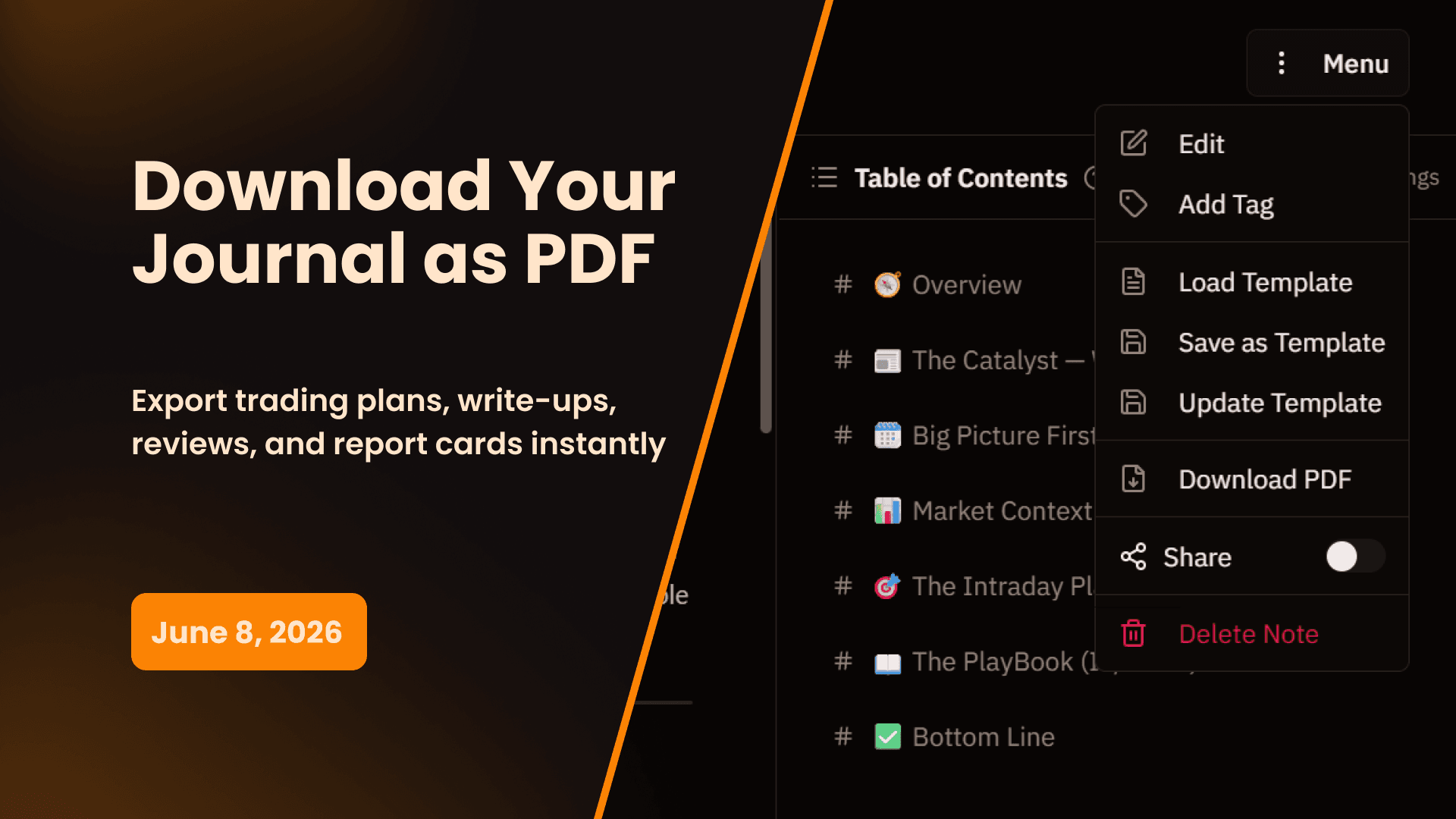
Every editor in My Prop Journal now has a Download PDF option in the document menu. Click the menu icon in the top right of any document, select Download PDF, and a formatted PDF generates and downloads instantly.
PDF export is available across every document type in the app:
- Trading Plans — Full plan content, all sections, formatted exactly as it appears in the editor including callouts, tables, and rich text
- Playbooks — Playbook content, criteria checklist, and linked strategy references
- Strategies — Strategy rules and content in a clean, printable format
- Trade Write-ups — Full write-up content with linked playbook details and criteria checklist responses, plus the TradingView chart with your executions plotted and performance data embedded
- Trade Reviews — Complete review export including your TradingView chart with execution markers, performance metrics, playbook criteria adherence, strategy rule compliance per execution, and review notes
- Report Cards — Daily, weekly, or monthly report card content including your written review
- Session Notes — Full session note content and quick notes for any trading day
- Trader's Notebook entries — Any note from your notebook exported as a standalone PDF
Performance Data, Charts & Executions in PDFs
For trade write-ups and trade reviews, the exported PDF includes the TradingView chart for that session with your execution markers plotted directly on the price action — the same chart you see inside the review workspace. Performance data, P&L, R-ratio, and execution details are embedded alongside your written content.
For report cards, the PDF pulls in the relevant performance summary for that period alongside your written review. Your numbers and your analysis land in the same document, formatted cleanly for reading, printing, or sharing.
Why This Matters
Your Journal Shouldn't Live Only in the App
A trading plan you can only read inside a web app isn't as useful as one you can print and keep at your desk. A report card you can only view on screen isn't as shareable as one you can attach to an email. PDF export takes your journal content out of the app and into any format, any workflow, any device — without losing the structure or quality of what you wrote.
Print Your Trading Plan
Some traders work better from a printed page. Having your trading plan in hand during a session — rules, risk parameters, targets, non-negotiables — is a different kind of accountability than pulling it up on a second monitor. Export it as a PDF, print it, and put it where you can see it.
Share With Mentors and Coaches
PDF export makes it easy to share your work with anyone who isn't in your journal. Send your trading plan to a mentor for review. Share your weekly report card with a coach. Attach a trade write-up to a community post. No login required — just a PDF they can open anywhere.
Build a Professional Record
Exporting your report cards and write-ups over time builds a portable archive of your development. A folder of monthly report cards from the past year tells a clear story of how you've grown as a trader — one you can look back on, share, or use however you need.
How to Export a PDF
- Open any document — trading plan, playbook, trade write-up, report card, session note, or notebook entry
- Click the Menu icon in the top right corner of the document
- Select Download PDF
- The PDF generates and downloads to your device instantly
PDF export is available on all plans.
Start 14-Day Free Trial | View All Features | Contact Support
My Prop Journal - The complete trade journal for traders. Download, print, and share your trading documents with one-click PDF export.
Share this release
Newsletter
Stay Updated on Latest Features
Get notified about the latest feature releases, platform improvements, and product updates from My Prop Journal.