Session Notes: Document Every Moment of Your Trading Day
Session Notes gives you a dedicated space to capture everything that happens in your trading day — from pre-market analysis before the open to real-time observations in the heat of the session. Write it, speak it, and search it later.
Most traders have thoughts during the session they never write down. A stock makes a move, you notice something important, and by the time the session ends it's gone. Session Notes is built to solve that — a fast, always-available workspace that keeps up with the pace of live trading.
What's New
A Complete Session Workspace
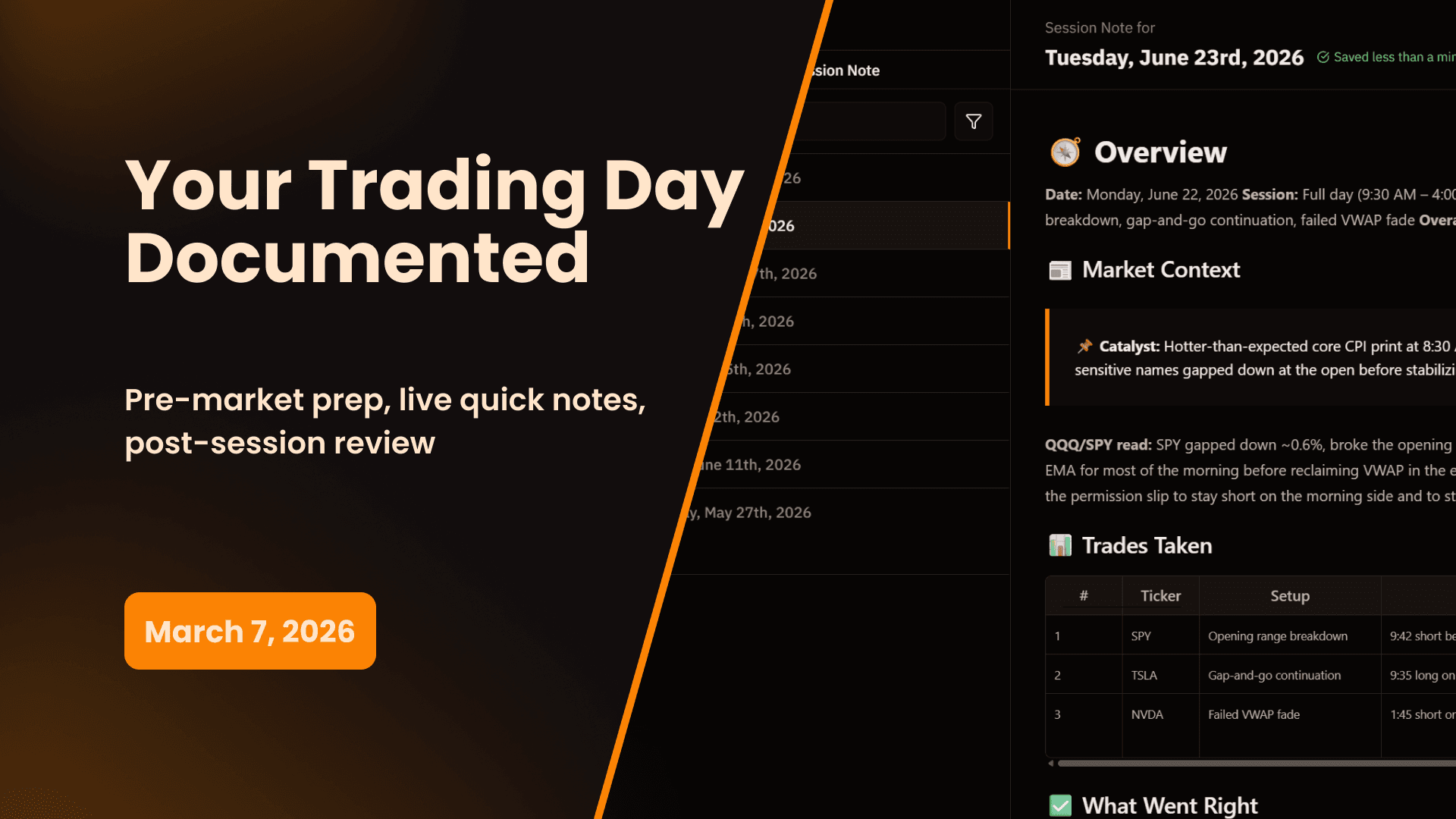
Each session note is a full document tied to a specific trading day. The main editor gives you a rich writing space for anything related to your session — pre-market research, market structure observations, watchlist breakdowns, trade ideas, post-session reflections, or anything else you want to capture before, during, or after the open.
Use it however fits your workflow:
- Pre-market — Write out your game plan, key levels, tickers on watch, and the conditions you need to see before you act
- During the session — Capture real-time observations as the market moves
- Post-session — Summarize how the day went, what worked, what you missed, and what you're taking into tomorrow
Quick Notes — Real-Time Ticker Observations
Quick Notes is a lightweight capture tool built for the heat of the moment. When you're in an active session and don't have time to stop and write a full thought, Quick Notes lets you log a ticker and a short observation in seconds.
Add a ticker, type your thought, and move on. The note is timestamped automatically so you always know exactly when you wrote it.
Example: Tesla is pushing toward VWAP and you want to flag it — you add TSLA and write "watching VWAP for a possible bounce, volume picking up" in under five seconds. You're back in the trade before anything changes.
Over the course of a session, Quick Notes builds a running timestamped log of everything you noticed — setups you watched, levels that held, things that surprised you, trades you considered but didn't take. That's valuable data that would otherwise be lost.
Pop-Out Mode
Session Notes can be popped out into a separate floating window. Drag it next to your trading platform and keep it open throughout the session without switching tabs or interrupting your flow.
Quick Notes is always one click away in pop-out mode — so capturing a real-time observation never pulls you out of your charts.
Voice-to-Text
You don't have to type anything. Session Notes supports speech-to-text throughout — in the main editor and in Quick Notes. Hit the microphone, say what you're thinking, and keep trading. Hands stay on the keyboard where they belong.
This is especially useful for Quick Notes during live trading, where stopping to type even a few words can mean missing a move.
Search & Filter
After the session, everything you captured is searchable and filterable.
- Search by ticker — Pull up every Quick Note where you mentioned a specific symbol. See exactly what you were observing on NVDA or SPY throughout the day and what time each note was added.
- Filter by time — Narrow your notes to a specific window of the session. Want to review everything you wrote in the first 30 minutes? Filter to the open and read through it.
Over time, your session notes become a searchable record of how you think during live markets — patterns in what you notice, what you act on, and what you let pass.
Why This Matters
Your Best Thoughts Happen in Real Time
The most honest, useful observations you'll ever make about your trading happen while you're actually trading. The setup you noticed but didn't take. The hesitation before a losing trade. The moment you knew you were overtrading. None of that makes it into a post-session write-up if you didn't capture it when it happened.
Session Notes is designed to make capturing those moments as frictionless as possible — pop it out, speak into it, type three words, and keep going.
Pre-Market Prep Creates Accountability
Writing out your game plan before the open is one of the most effective habits a developing trader can build. When you put your levels, your setups, and your conditions in writing before the session starts, you create a record you can actually compare against what happened. Did the setup you planned appear? Did you take it? Did you wait for your conditions or force something that wasn't there?
Session notes make that comparison possible.
The Loop Connects
Session notes don't exist in isolation. The observations you capture during the session feed directly into your trade write-ups and report cards. The pre-market analysis you write becomes context for understanding why you made the decisions you made. Over weeks and months, your session notes become one of the most revealing records in your entire journal.
How to Get Started
Creating a Session Note
- Navigate to Session Notes in the Trader Development section of the sidebar
- Click New Session Note to create a note for today's session
- Use the main editor for pre-market analysis, game plans, or any extended notes
- Use Quick Notes to log real-time ticker observations during the session
Using Pop-Out Mode
- Open your session note for the day
- Click the Pop Out icon in the top right of the Session Notes panel
- Position the floating window next to your trading platform
- Keep it open throughout the session for instant access
Searching Your Notes
- Open any session note
- Use the ticker search to filter Quick Notes by symbol
- Use the time filter to narrow notes to a specific window of the session
Session Notes is available on all plans. Quick Notes, pop-out mode, voice-to-text, and search are included at no additional cost.
Start 14-Day Free Trial | View All Features | Contact Support
My Prop Journal - The complete trade journal for traders. Document every moment of your trading day with Session Notes.
Share this release
Newsletter
Stay Updated on Latest Features
Get notified about the latest feature releases, platform improvements, and product updates from My Prop Journal.