Retail Account Support Now Available
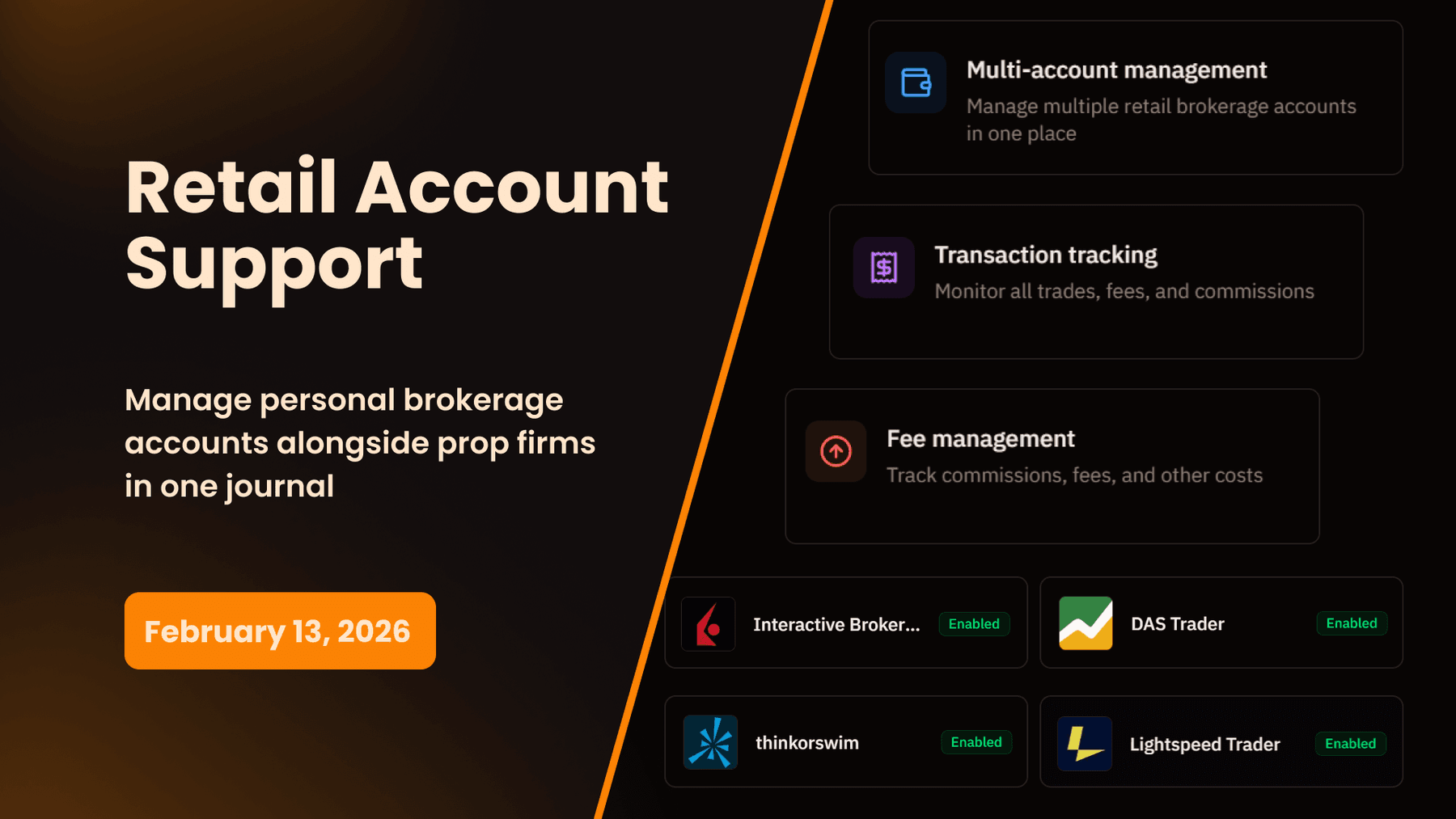
Manage personal brokerage accounts alongside your prop firm accounts in one journal. Full retail account support with transaction tracking, CSV import for IBKR, thinkorswim, Lightspeed, and more, plus deposits, withdrawals, and fee management.
My Prop Journal is no longer just for prop traders. We've added full retail account support, allowing you to manage personal brokerage accounts alongside your prop firm accounts in a single, unified journal.
What's New
Complete Retail Account Management
You can now add and manage multiple retail brokerage accounts directly in My Prop Journal. Track your Interactive Brokers account, your Tastyworks futures account, and your TD Ameritrade IRA all in the same place you manage your Apex and TopStep accounts.
How It Works:
- Add Your Retail Account - Navigate to the new Retail Accounts page and click Add Account
- Select Your Broker - Choose from popular brokers (Interactive Brokers, Tastyworks, thinkorswim, and more)
- Choose Account Type - Select your account structure (Individual, Joint, Trust, LLC, Corporation, Custodial)
- Set Account Subtype - Pick Cash or Margin account
- Track Your Balance - Enter starting balance and watch the system calculate P&L automatically
Your retail accounts appear in the sidebar navigation with their own dedicated section, separate from prop accounts but fully integrated with all trader development tools.
Transaction Tracking System
Retail accounts require more than just trade tracking - you need to monitor deposits, withdrawals, and various fees that affect your account balance. We built a complete transaction management system.
Transaction Types Supported:
- Deposits - Money added to your account
- Withdrawals - Money removed from your account
- Data Fees - Market data subscription costs
- Locate Fees - Hard-to-borrow stock fees
- Margin Interest - Interest charged on margin balances
- Platform Fees - Monthly platform or software fees
- Other Fees - Regulatory fees, wire fees, etc.
- Earned Interest - Interest earned on cash balances
Each transaction records the date, amount, type, and optional notes. The system automatically adjusts your account balance and recalculates P&L based on your transaction history, separating trading performance from deposits and withdrawals.
Accurate Balance and P&L Calculations
Unlike prop accounts that track profit targets and drawdowns, retail accounts focus on balance management. The system tracks:
- Starting Balance - Your initial account funding
- Current Balance - Real-time balance including all transactions and trades
- Total P&L - Calculated from trading activity only (excludes deposits/withdrawals)
- Net Deposits/Withdrawals - Total money added or removed from the account
P&L calculations automatically exclude deposits, withdrawals, and non-trading fees, giving you an accurate picture of your actual trading performance independent of account funding changes.
CSV Import Support for Retail Platforms
We've added CSV import support for the most popular retail trading platforms. When you import trades from these platforms, you simply select which retail account the trades belong to, and the system routes everything correctly.
Supported Retail Platforms:
- Lightspeed Trader (stocks)
- Dash Trader Pro (stocks and futures)
- thinkorswim (stocks and futures)
- Interactive Brokers (stocks and futures)
Options support is currently in development and will be added in an upcoming release.
Additionally, platforms that support both prop and retail trading (TradingView, Tradovate, NinjaTrader) now include an account type toggle during import. Select "Retail Account," pick your retail account from the dropdown, and your trades import to the correct account automatically.
Account Types and Organization
Retail accounts support multiple account structures to match your actual trading setup:
Account Types:
- Individual - Personal trading account
- Joint - Jointly owned account
- Trust - Trust-owned account
- LLC - Limited liability company account
- Corporation - Corporate trading account
- Custodial - Custodial account for minors
Account Subtypes:
- Cash Account - No margin, trades settle in cash
- Margin Account - Margin trading enabled
Each account displays your broker's logo, making it easy to identify accounts at a glance. You can also add custom nicknames and account numbers for quick reference.
Integrated with Trader Development Tools
Retail accounts aren't isolated - they integrate fully with the rest of My Prop Journal's trader development features:
- Trade Writeups - Document your retail trades with the same post-trade analysis workflow
- Report Cards - Generate daily, weekly, and monthly performance reviews for retail accounts
- Playbooks - Link retail trades to your trading playbooks
- Strategies - Tag retail trades with your entry and exit strategies
- Performance Analytics - View cumulative P&L, win rates, and statistics for retail accounts
When creating report cards or trade writeups, simply select "Retail Accounts" from the account category selector, and the system pulls data from your retail trading activity.
Why This Matters for Your Trade Journal
One Journal for All Trading
Many active traders operate both prop firm accounts and personal retail accounts. Previously, this meant managing separate journals, spreadsheets, or systems for each account type. Now everything lives in one place.
Whether you're trading a $50K Apex eval, a $100K Interactive Brokers margin account, and a Roth IRA at Tastyworks, you manage all three in My Prop Journal with the same workflow, same interface, and same trader development tools.
Accurate Transaction Accounting
Retail accounts have cash flows that prop accounts don't - deposits when you add funds, withdrawals when you pull profits, interest charges on margin, platform fees, data fees. The transaction tracking system handles all of this automatically, ensuring your P&L reflects actual trading performance, not just account balance changes.
Scalability for Growing Traders
As you grow as a trader, your account structure may evolve. You might start with a small cash account, add a margin account, open an IRA for retirement, form an LLC for tax purposes, or manage a trust. The system scales with you, supporting unlimited retail accounts across different structures and brokers.
Privacy and Organization
Account numbers can be hidden for privacy, and broker logos help you quickly identify which account you're viewing. Nicknames let you label accounts however makes sense to you ("Day Trading," "Swing Trading," "IRA Long-Term," etc.).
How to Get Started
Adding Your First Retail Account
- Navigate to Retail Accounts in the sidebar (between Dashboard and Prop Accounts)
- Click Add Account
- Select your broker from the dropdown
- Choose your account type (Individual, Joint, Trust, etc.)
- Select account subtype (Cash or Margin)
- Enter your starting balance
- Add optional details (account number, nickname, notes)
- Save and start tracking
Your retail account is now live. You can add transactions, import trades via CSV, or manually enter trades.
Adding Transactions
- Go to Retail Accounts → Transactions tab
- Click Add Transaction
- Select the account
- Choose transaction type (Deposit, Withdrawal, Fee, Interest)
- Enter the amount and date
- Add optional notes
- Save
The system automatically updates your account balance and recalculates your P&L.
Importing Trades to Retail Accounts
- Navigate to Imports or Add Trades
- Upload your CSV file from your broker or platform
- Select Retail Account from the account type toggle (for platforms that support both)
- Choose your retail account from the dropdown
- Review and confirm the import
Trades automatically route to the selected retail account, and your balance updates in real-time.
Using Retail Accounts in Report Cards and Trade Writeups
- Navigate to Report Cards or Trade Writeups
- Click Create to start a new report card or writeup
- Select Retail Accounts from the account category selector
- Choose your specific retail account(s)
- Generate your report card or create your writeup
The system pulls data from your retail trading activity and displays it in the same format as prop account data.
Retail Account Features
Retail Accounts Page
The Retail Accounts page mirrors the Prop Accounts page structure you're already familiar with:
- Active Accounts Tab - View all currently active retail accounts
- Archived Accounts Tab - Access archived or closed accounts
- Account Cards - Each account displays broker logo, account type, current balance, total P&L, and status
- Quick Actions - Edit, archive, or view transactions directly from account cards
Transactions Page
The Transactions page provides a complete history of all account activity:
- Account Filter - View transactions for specific accounts or all accounts
- Transaction Type Filter - Filter by deposits, withdrawals, fees, or interest
- Date Range - View transactions within specific time periods
- Pagination - Navigate through large transaction histories
- Add/Edit/Delete - Full transaction management capabilities
Real-Time Updates
Changes to retail accounts, transactions, and trades update in real-time without page refreshes. Archive an account, add a transaction, import trades - everything updates instantly across the application.
Available Now
Retail account support is live for all My Prop Journal users today. Navigate to Retail Accounts in the sidebar to add your first retail account, or import trades from your retail broker immediately.
Your existing prop accounts remain unchanged - retail accounts are a separate section with their own management interface. Switch between prop and retail accounts seamlessly as you trade.
Add Your Retail Account | View Supported Brokers | View All Features
We Want Your Feedback
Trading with a broker or platform we haven't added yet? Contact our support team to request CSV import support. We're continuously expanding platform coverage based on trader demand.
My Prop Journal - The complete trade journal for prop traders and retail traders. Manage all your accounts in one place.
Newsletter
Stay Updated on Latest Features
Get notified about the latest feature releases and improvements delivered directly to your inbox. Stay ahead with updates that matter.