My Prop Journal Public API: Programmatic Access to Your Trading Data
The My Prop Journal public REST API is now available to all paid subscribers. Query your trades, performance analytics, accounts, playbooks, strategies, session notes, and more — programmatically, from anywhere, in any language.
If you've ever wanted to pull your trading data into a custom dashboard, run your own analysis scripts, connect your journal to an AI tool, or build something entirely your own on top of your journal data — the API is how you do it.
What's New
A Full-Featured REST API for Your Trading Data
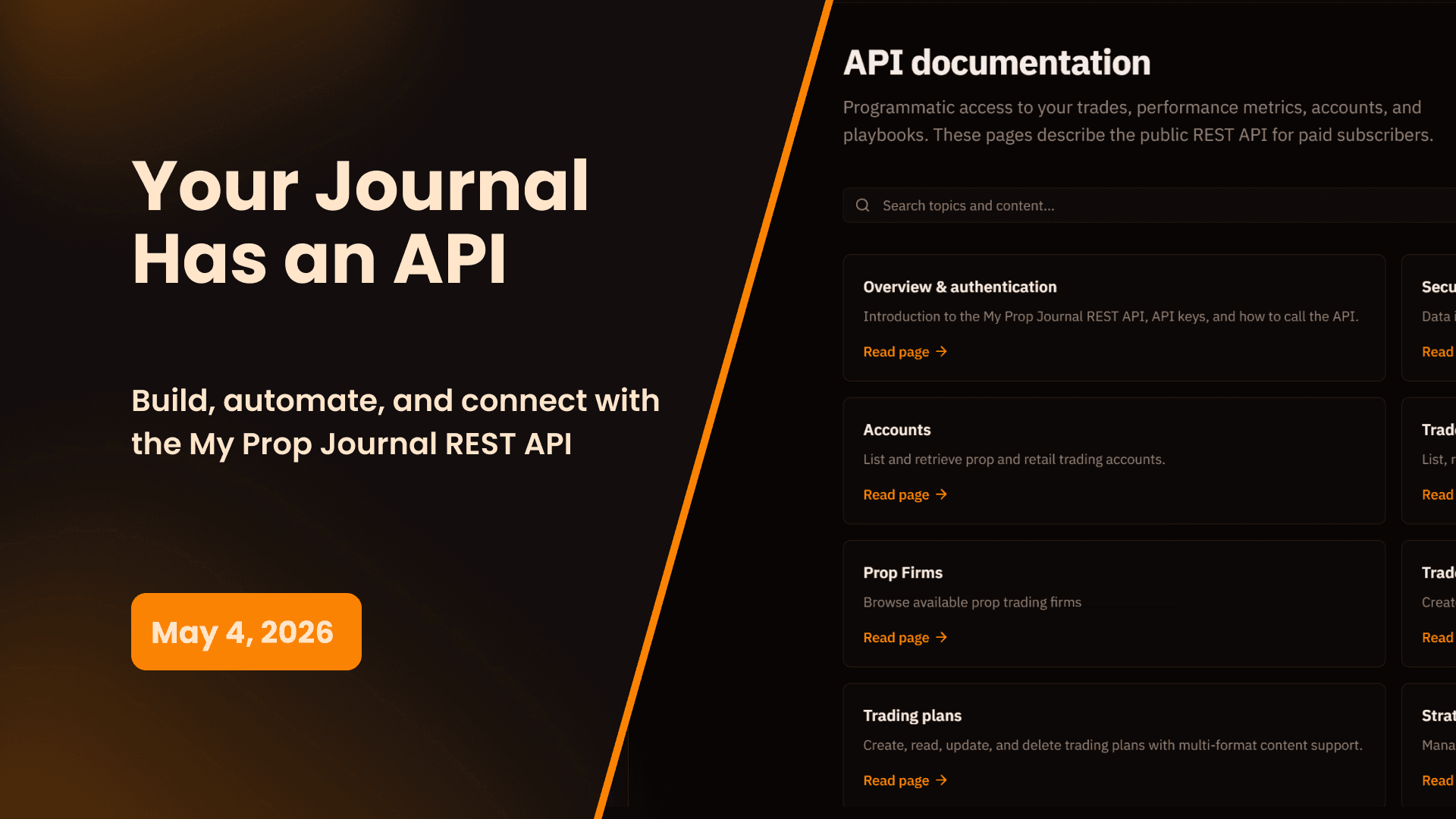
The My Prop Journal API is a standard REST API that returns JSON. Every endpoint uses Bearer token authentication, every response is consistently structured, and the full reference documentation is available at mypropjournal.com/docs/api.
The API is available to all paid All-Inclusive and AI Coach subscribers. Start with a 14-day free trial if you are not subscribed yet.
Getting Started in Under 5 Minutes
Generate your API key from Settings → API Keys in your account. Keys are prefixed with mpj_ and are shown only once at creation — store yours securely.
Once you have a key, your first API call is one line:
curl https://app.mypropjournal.com/api/v1/trades \
  -H "Authorization: Bearer mpj_your_api_key_here"
That's it. You're pulling your trade data. From here you can filter, paginate, sort, and integrate however you want.
The full authentication guide, including examples in JavaScript, Python, and cURL, is in the API overview documentation.
What You Can Access
Trades — With 20+ Filters
The trades endpoint is the most powerful in the API. Pull your complete trade history with rich filtering across every dimension that matters:
- Date range —
start_dateandend_date - Symbol — filter by any ticker
- Direction —
longorshort - Outcome —
win,loss,breakeven, oropen - Account — filter to a specific prop or retail account
- Playbook — filter trades linked to a specific playbook
- Strategy — filter trades by assigned entry or exit strategy
- Tags — filter by any custom tags you've applied
- P&L range —
min_pnlandmax_pnl - R-ratio range —
min_rrrandmax_rrr - Has write-up — filter to trades with linked write-ups
- Has review notes — filter to reviewed trades
- Full-text search — search across symbol, account, and playbook
Each trade response includes executions, linked playbook and strategy IDs, tags, commissions, gross and net P&L, R-ratio, and review status.
Performance Analytics
The performance endpoints give you the same analytics engine that powers the in-app performance section — available programmatically for any date range, account, symbol, or strategy.
Available endpoints:
- Overview — Win rate, profit factor, total P&L, average win/loss, largest win/loss, max drawdown, and more across any filter combination
- Detailed — Extended metric breakdowns including streak analysis, consistency scores, and distribution data
- Calendar — Daily P&L data for any month, formatted for calendar heatmap display
- Grouped — Performance broken down by hour of day, day of week, symbol, strategy, or playbook
These endpoints are what you'd use to build a custom performance dashboard, run backtested comparisons, or feed your data into an analytics tool.
→ Performance API documentation
Accounts
Query all your prop and retail accounts with their current stats, account rules, balances, and filtering options. The accounts endpoint supports filtering by account type, status, and prop firm.
Prop Firms
Browse the full prop firm directory — the same list used for auto-population in the app. Useful for integrations that need to present firm options or validate firm names.
→ Prop Firms API documentation
Trading Plans, Playbooks & Strategies
Access your full trader development library programmatically:
- Trading Plans — Retrieve your trade plans with full rich-text content in JSON, HTML, or Markdown
- Playbooks — Query playbooks with linked strategies, criteria, and performance data
- Strategies — Access strategy rules and linked trade evaluations
- Rules — Query strategy rules and per-execution rule compliance data
→ Trading Plans · Playbooks · Strategies · Rules
Trade Write-ups & Report Cards
Pull your post-trade analysis and performance reviews programmatically. Both endpoints return rich-text content with support for JSON, HTML, and Markdown output formats — making it straightforward to display or process your written analysis outside the app.
→ Trade Write-ups · Report Cards
Session Notes & Trader's Notebook
Access your daily session notes, quick ticker notes, and Trader's Notebook entries via API. Session notes include the full note content plus all quick notes with their timestamps and tickers. Notebook entries support full folder structure querying.
→ Session Notes · Trader's Notebook
Tags & Organization
Query your full tag library — tag groups and individual tags — and use tag IDs to filter trades, write-ups, and other resources across the API.
Payouts
Access your prop firm payout history with cumulative calculation support. Useful for building earnings dashboards or tracking total withdrawals across firms over time.
Documents & Chart Books
Upload and manage trading documents (PDFs, images) and access your chart book entries with linked images, tags, and playbook associations.
→ Documents · Chart Books
Embeds & Content Formats
The embeds endpoint resolves internal links within rich-text content — useful when you're rendering journal entries that contain linked trades, playbooks, or write-ups. The content formats endpoint gives you control over how rich-text content is returned: raw JSON, rendered HTML, or clean Markdown.
What You Can Build
Custom Analytics Dashboards
Pull your trade and performance data into any BI tool, charting library, or custom frontend. The performance endpoints return the same metrics used in-app — win rate, profit factor, time-of-day breakdowns, day-of-week analysis, and more — across any filter combination you define.
Python & JavaScript Analysis Scripts
Run your own statistical analysis on your trading data. Filter trades by playbook, strategy, or date range, pull performance grouped by hour of day, and run correlations that go beyond what the in-app analytics cover. The use cases documentation includes working examples for both Python and JavaScript.
AI Tool Integration
The API is the foundation for connecting your journal to AI assistants. Use it to build a custom MCP server that exposes your trading data to Claude Desktop, Cursor, or any other AI tool that supports the Model Context Protocol. Query your trades, performance, and playbooks conversationally — directly from your AI assistant. See the use cases documentation for a working MCP server example.
Data Export & Backup
Pull your complete trading history, write-ups, session notes, and playbooks programmatically for external backup, archiving, or migration. The API covers every major data type in your journal.
Publish Your Trading Content to Your Community
If you run a trading community, educational service, or personal website, the API lets you surface your journal content anywhere your audience is — without manual copying, screenshots, or rebuilding what's already in your journal.
Pull your trade write-ups, report cards, trading plans, and playbook documentation via API and display them on your own site or community platform. Build a public-facing performance dashboard that shows your verified results. Embed your weekly report card on your membership site so your students or followers can follow your development in real time. Pipe your trade reviews into a Discord bot that posts your reviews automatically to your community channel.
For educators and mentors, the API makes it possible to build a paid educational experience around your actual trading — not just screenshots or recaps, but live structured data pulled directly from your journal. Your playbooks, annotated write-ups, and performance breakdowns can become the curriculum, delivered programmatically to wherever your community lives.
A few examples of what this looks like in practice:
- A funded trader running a paid Discord community pulls their weekly report card via API and auto-posts it every Friday
- A trading educator builds a membership site where subscribers see their real-time playbook library and recent trade reviews
- A funded trader publishes a live performance widget on their personal website showing verified P&L, win rate, and profit factor updated daily
- A trade room operator feeds session notes and quick notes into a community feed so members can follow along in real time
The API returns rich-text content in JSON, HTML, or Markdown — making it straightforward to render your journal content inside virtually any web platform, CMS, or community tool.
Custom Integrations
Connect My Prop Journal to other tools in your trading stack — Notion, Airtable, Google Sheets, trading bots, Discord bots, or anything that can make an HTTP request.
Security
All API data is strictly scoped to your account — no user can access another user's data through the API. Keys are securely hashed and never stored in plaintext. The full key is shown only once at creation. You can revoke keys at any time from Settings, and last-used timestamps help you identify and clean up keys you're no longer using.
API access requires an active paid subscription. If you downgrade to limited access, existing keys stop working immediately.
→ Security & Privacy documentation
Reference Documentation
Everything you need is in the docs:
- Overview & Authentication — Base URL, API key setup, request format
- Security & Privacy — Data isolation, key management, transport security
- Filters Reference — Complete guide to all available filters
- Pagination & Errors — How pagination works, error codes and handling
- Data Models — Full schema reference for every resource
- Advanced / Best Practices — Rate limits, optimization, and production patterns
- Use Cases — Working code examples for common integration patterns
- Cascade Deletes — What gets deleted when you delete a resource
How to Get Started
- Make sure you're on a paid plan — upgrade here if needed
- Go to Settings → API Keys in your account
- Click Create API Key, give it a name, and copy it immediately
- Make your first request using the quick start guide
- Browse the full API documentation to explore what's available
The My Prop Journal REST API is available to all paid subscribers. For questions or integration support, contact us.
Upgrade to Paid | Read the Docs | Contact Support
My Prop Journal - The complete trade journal for traders. Programmatic access to your full trading data via REST API.
Share this release
Newsletter
Stay Updated on Latest Features
Get notified about the latest feature releases, platform improvements, and product updates from My Prop Journal.